
Changelog
Follow up on the latest improvements and updates.
RSS
new
improved
Week of August 14, 2023
New Audiogram Creator
Zealous has helped you make Audiograms almost as long as it's been alive, but that flow hasn't been the fastest or most convenient. We saw these problems and finally have a solution.
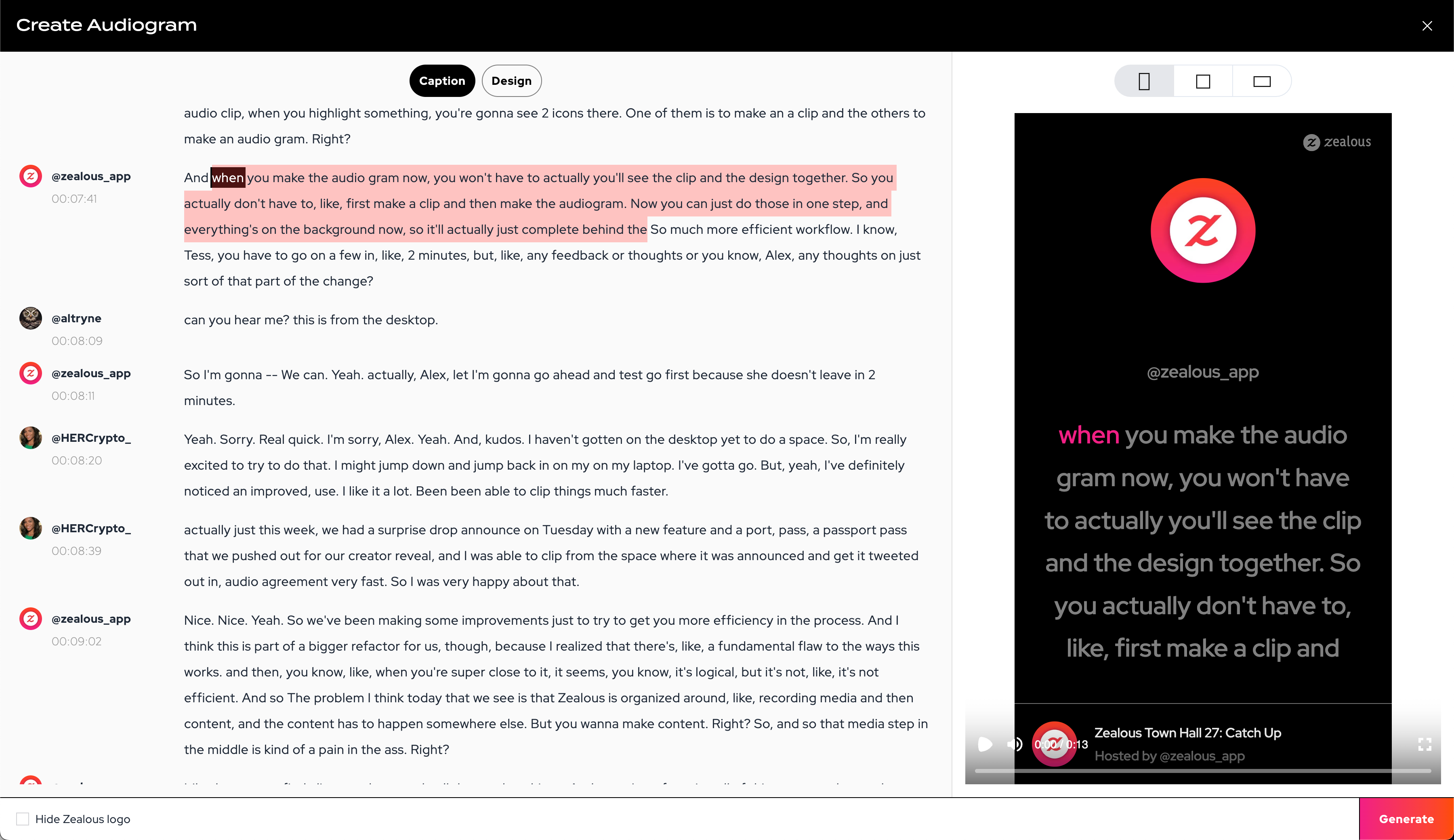
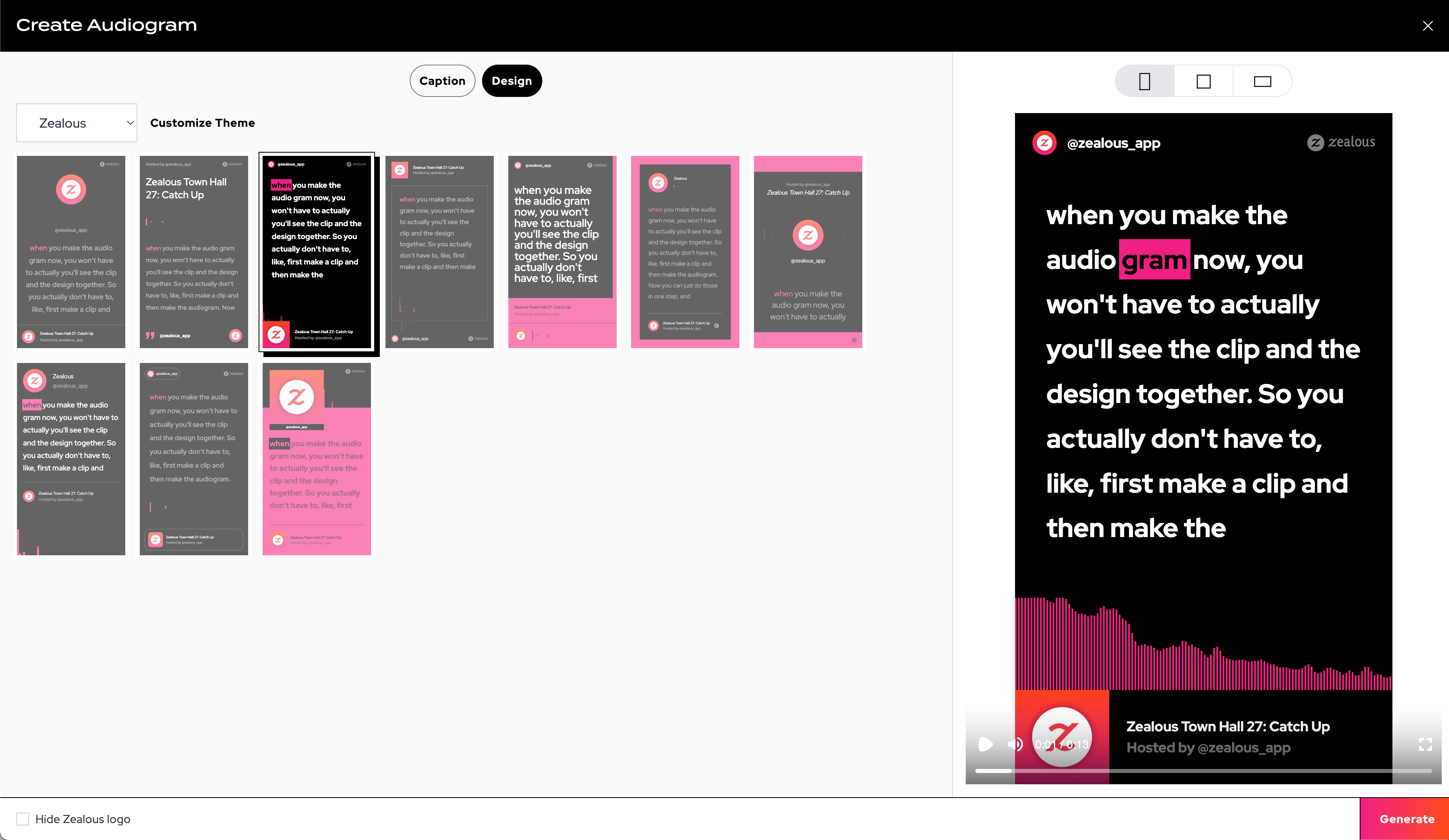
The new Audiogram Creator combines clipping and design into one single, instant experience.
With this new setup, you get better previews and a faster experience as we've moved all the clipping and generation to the background so you can get back to your curation and posting work.
The new Caption tab lets you select what you want
The new Design tab will let you choose the theme and layout with a large preview
Better Transcript Tooling
Our Transcript editor is improved now as well. We've heard your feedback and there were a number of small issues making it hard to work with.
Two important changes:
- More selection options
- Explicit editing
When you make a selection, you now have 3 options available:
- Edit the selection
- Create an audio clip
- Create audiogram

In addition, you will notice that a small pencil appears on hover which will let you enter the editing mode - simplifying the interactions and experience.
Host Plan Retires on September 1
As Zealous continues to evolve, we're adjusting our pricing to serve our customers' needs.
On September 1, 2023, we will be retiring the Host Plan ($10 / month).
If you are already on that plan, you will be able to continue to use it, unless you cancel or upgrade
.If you've been considering an upgrade for your free account, now is the time! Check out our current pricing.
We hope you've had a great week. We have a couple of great things to share with you this week.
What's New
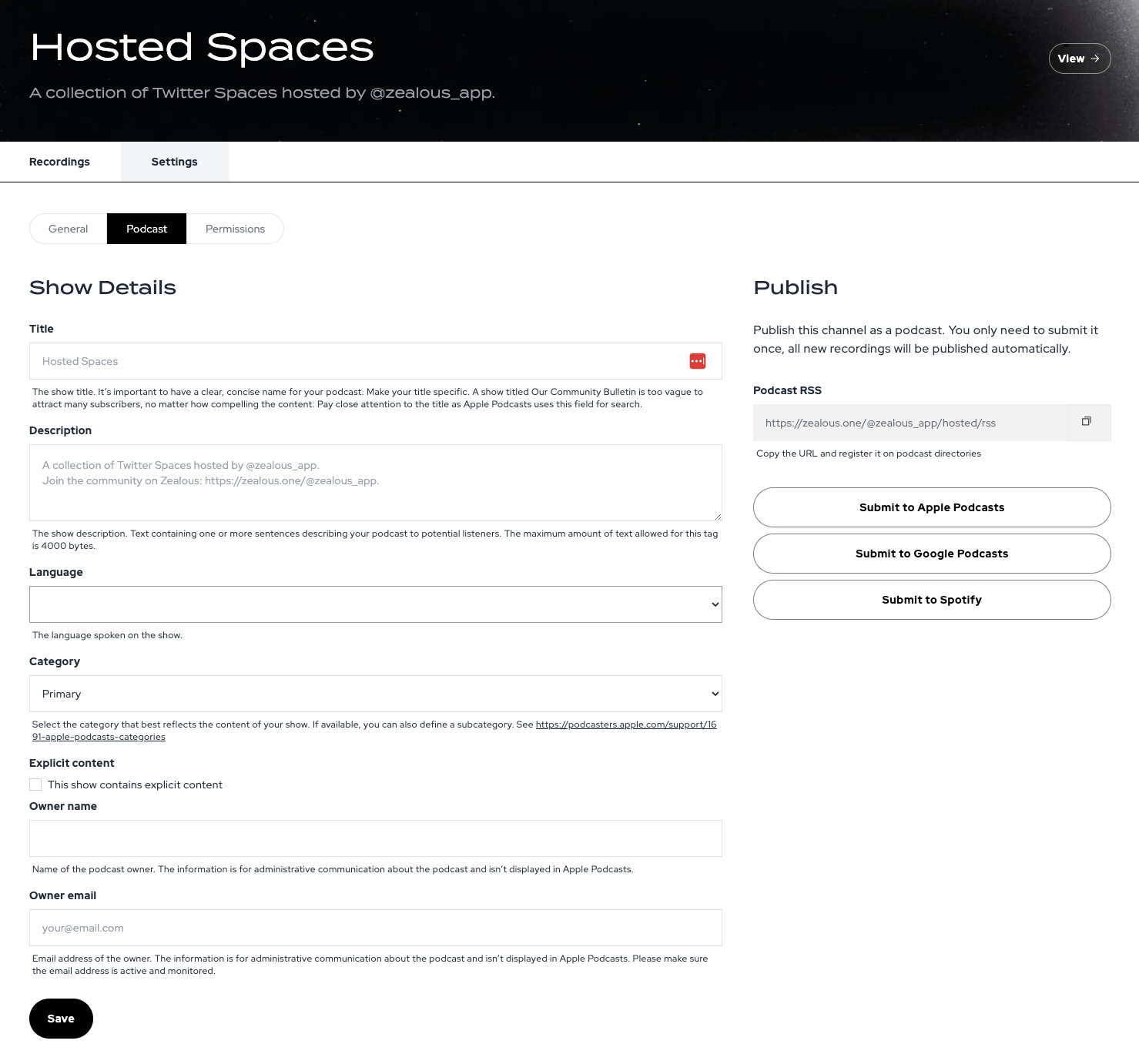
Podcast Ready Feeds
Zealous has always provided you a way to distribute your recordings as an RSS feed, but you couldn't go all the way to using those to create an official podcast, until today.
Your channels can now be submitted directly to the various podcast directories, giving you an official podcast straight from Zealous.
What's Fixed
Glitches are gone!
For some time now, there has been a small, but annoying glitch in our rendering where a scene may look like it skips a beat. We've been hunting this down for weeks since it was first reported and now, finally, we're happy to report it's resolved!
Happy rendering for your Wraps nd Audiograms!
We hope you've had a great week! We wanted to share some quick updates from this week.
Filtering Highlights
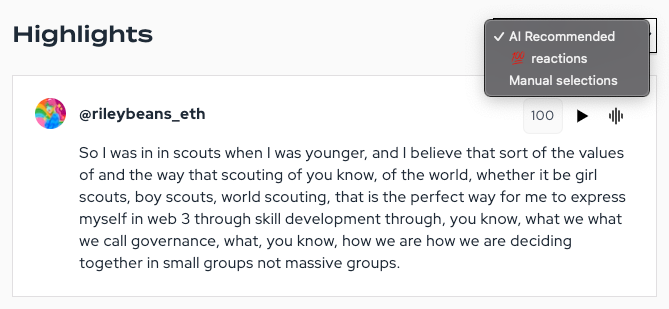
Here's a little-known secret - if you are the host or co-host, just react with 💯 to highlight that moment in your Zealous account.
But where do you see these highlights? We just added a way to see the 💯 highlights as their list on the Summary tab.
Highlight Scoring
Zealous helps find interesting moments using AI. But how good do we think those moments are? The new score provided gives you a sense of the system's confidence.
Much more coming here, but we hope you find it helpful.
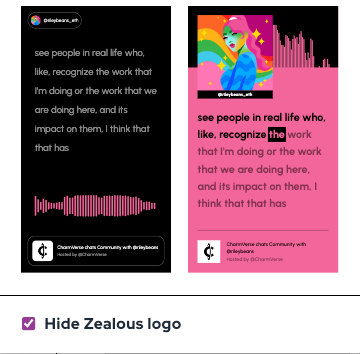
Logo Removal
While we think the Zealous logo is beautiful in many ways, it's not for everyone. So we made it optional.
If you are on a Creator or higher plan, you can now flip a switch to hide the logo.
🚀 A Faster, Better Way to Make Audiograms
Clipping audio is a total pain, so we just added some great new tools to make you more efficient:
- Text Selection => Audiogram
- Fine-grained Adjustments
Here's an overview of how they work.
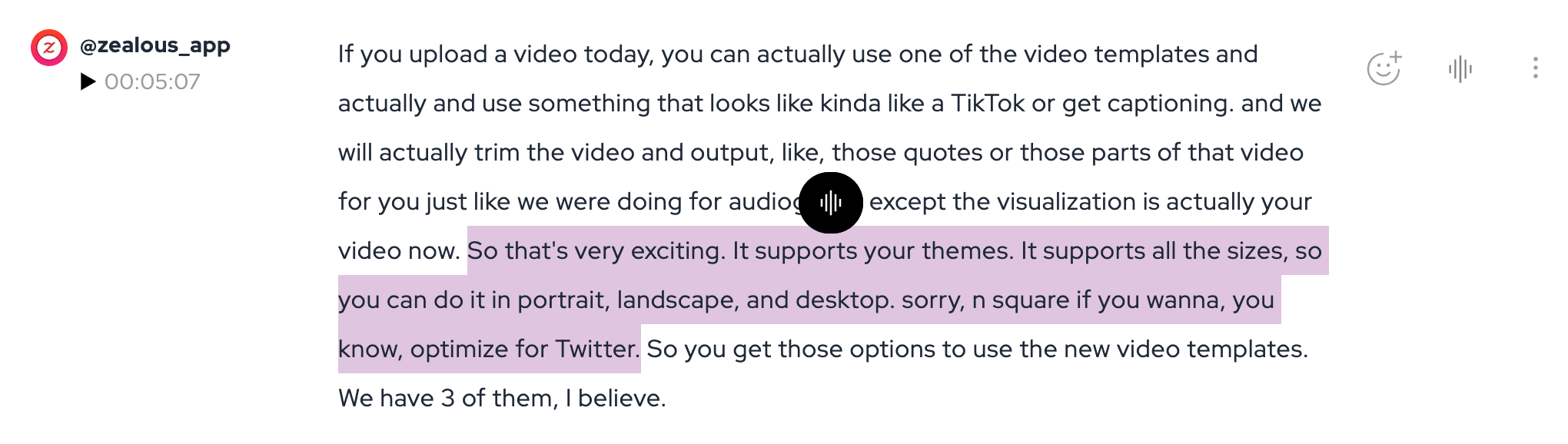
Text Selection
You can now simply select the text that you want to clip or turn into an audiogram and capture it.
No more fussing around with waveforms!
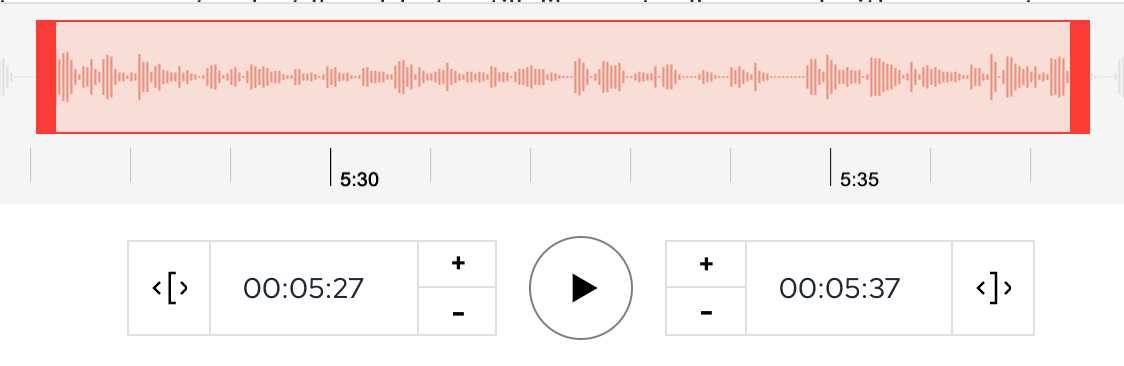
Fine-grained Adjustments
We've added a number of adjustments as well:
- Second-level adjustments
- Word-level additions/removals
- Auto-word selection (if you hit a partial word)
This will make it possible to get exactly the moments you need.
We had a good amount of hustle this week with some amazing progress to share with you. Here's what's new and what's fixed.
What's New
Video Templates
We've added 3 new templates to our Audiogram Studio that are specifically designed for videos. You can use your themes to customize and can export to any format you need.
So, if you've uploaded a video you can now choose to render it with a few different caption styles.

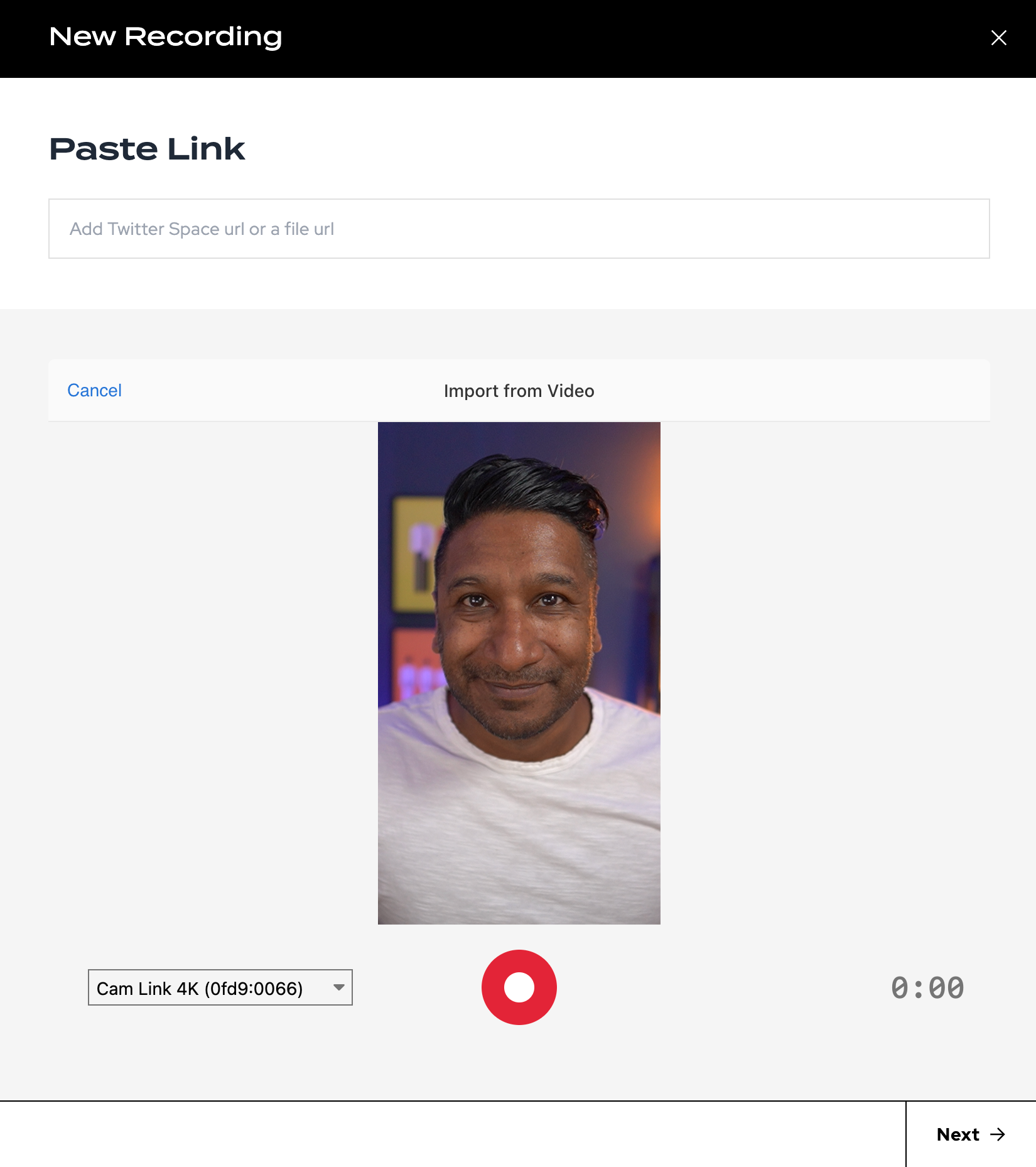
Native Recording
We've added support for you to create new audio and video content right inside of Zealous - no apps, no uploads.. just record and work with it like your other recordings.
Just click "New Recording" to access your native recording options.
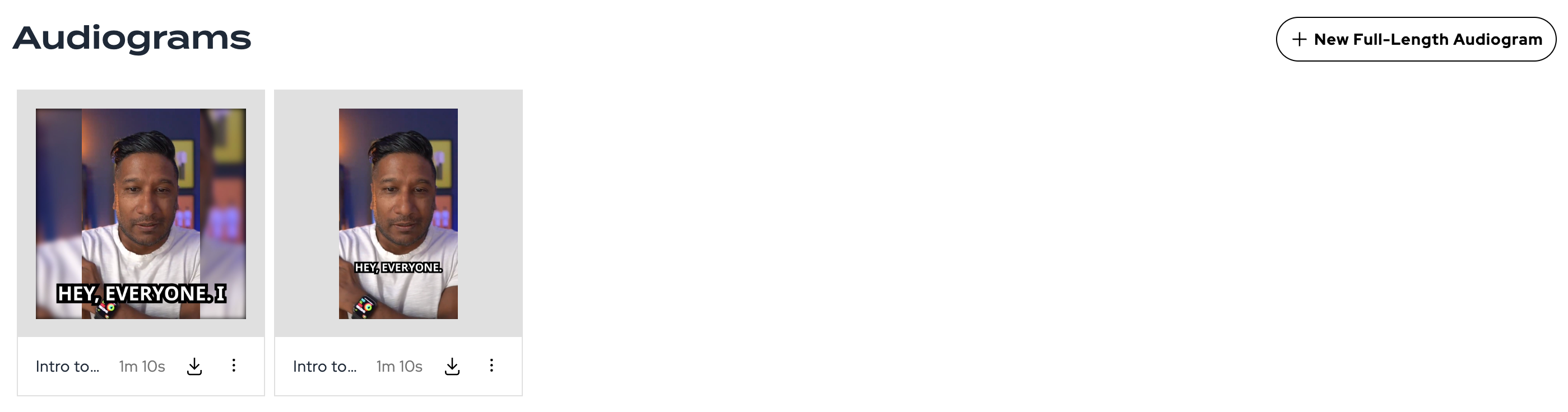
Easy Full-length Exports
Did you know you can export your Twitter Spaces and other audio recordings as full-length videos for use on YouTube and other sites? We've just made that a lot easier right from the Media tab.
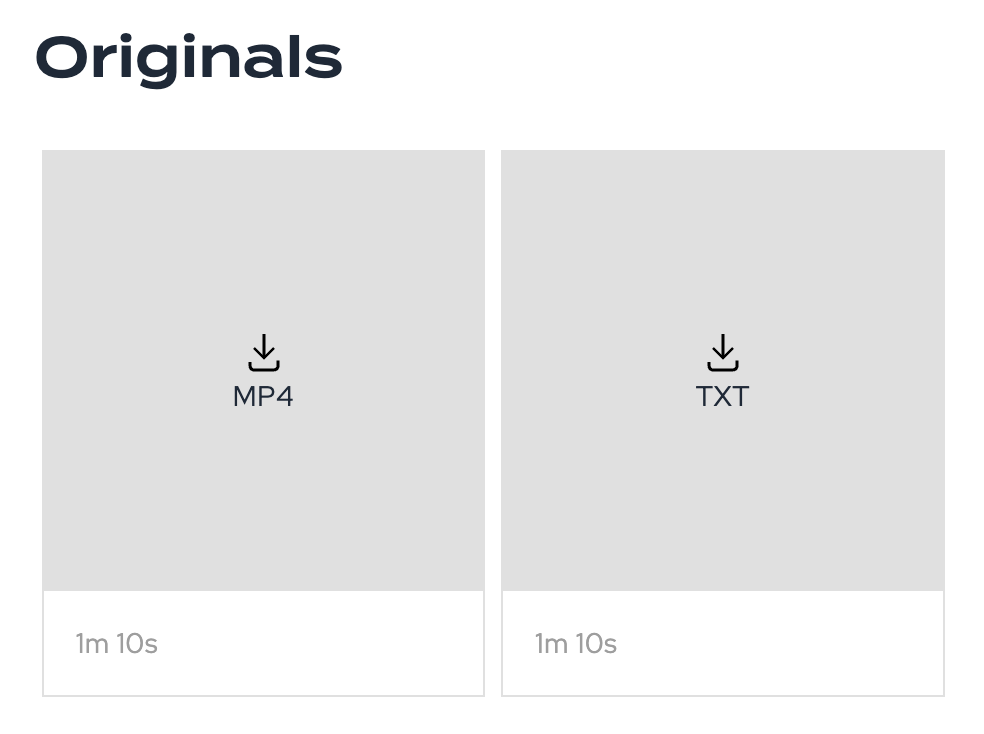
Originals
Despite your Activity Feed offering a way to download your recordings and artifacts, we realize it wasn't always easy to find that content later on. We've added a new "Originals" section to the Media tab that gives you quick access to all originals.
What's Fixed
Clip Words Update
We now have synchronized the transcript, clips, and audiograms so that edits in the transcript go all the way through. Previously, when you made an audiogram we saved a new audio clip and the words separately. Now, we refer back to the source so this process is much cleaner.
Note, once you render an audiogram you'll need to re-render as the words can't be changed after a video is created.
Scheduled Spaces Improvement
A sporadic issue was causing some scheduled spaces to not appear in your account and should be resolved now if you experienced it!
Here's a quick update on what's new and fixed this week. Let us know how you like it and if there's anything else pressing that we can address!
What's New
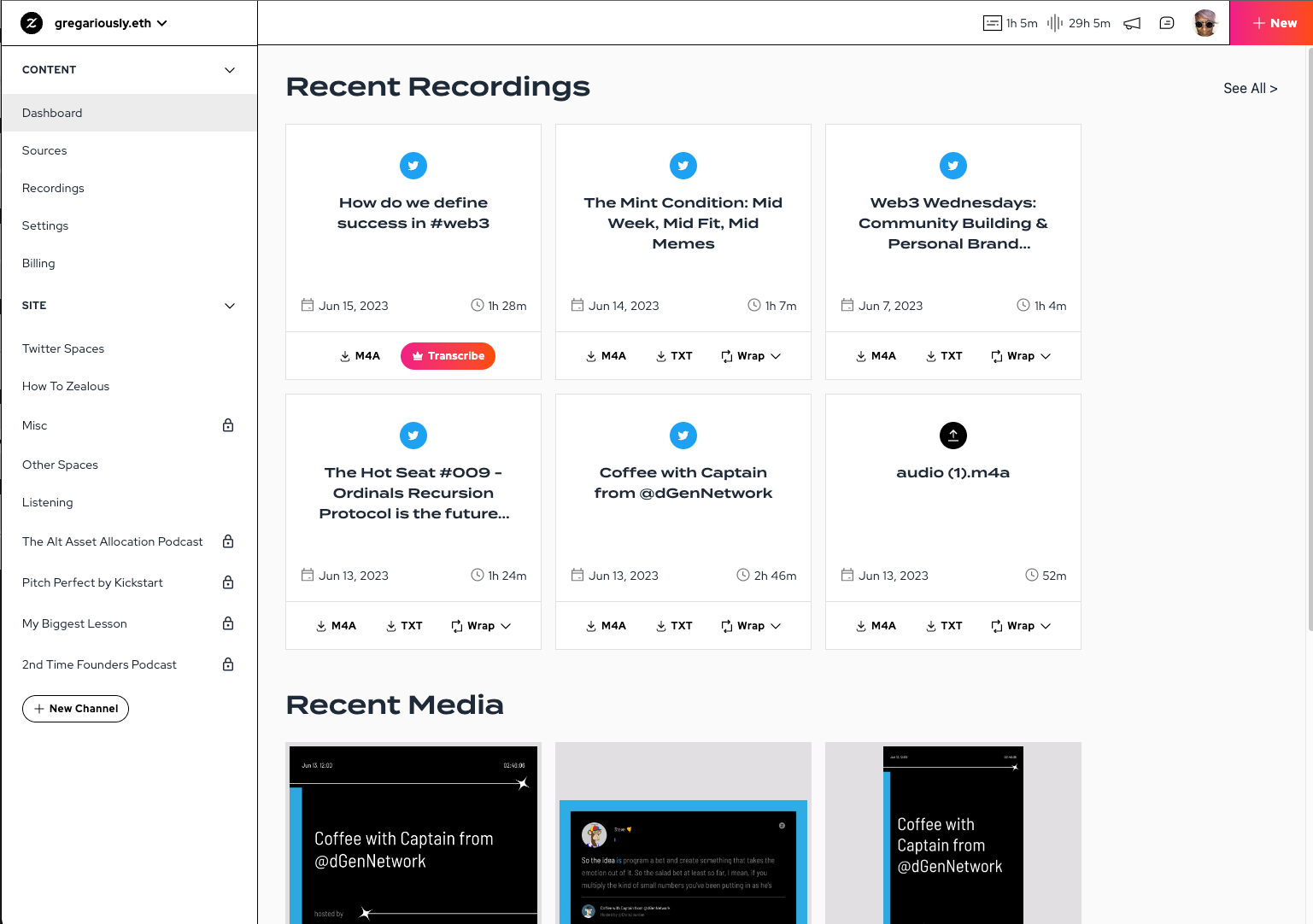
New Activity Feed
We've been thinking about how to streamline your experience when you first enter Zealous and especially how to help you find the things you've made.
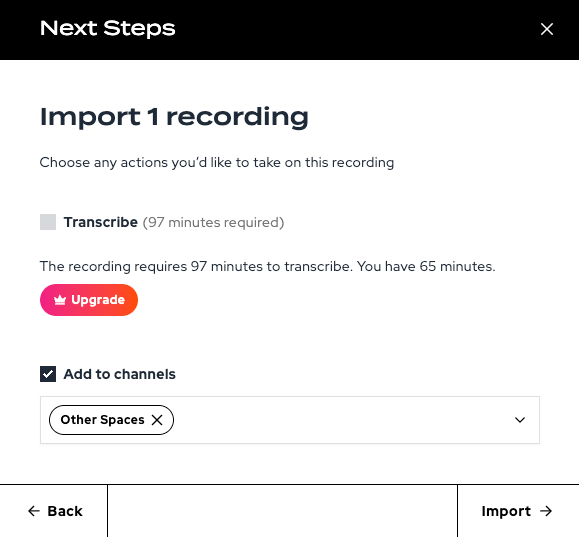
Transcribe on Upload
You can now let Zealous know you want to transcribe a recording when you upload it. This should save you a bunch of time from having to go find it after uploading to get that process completed.
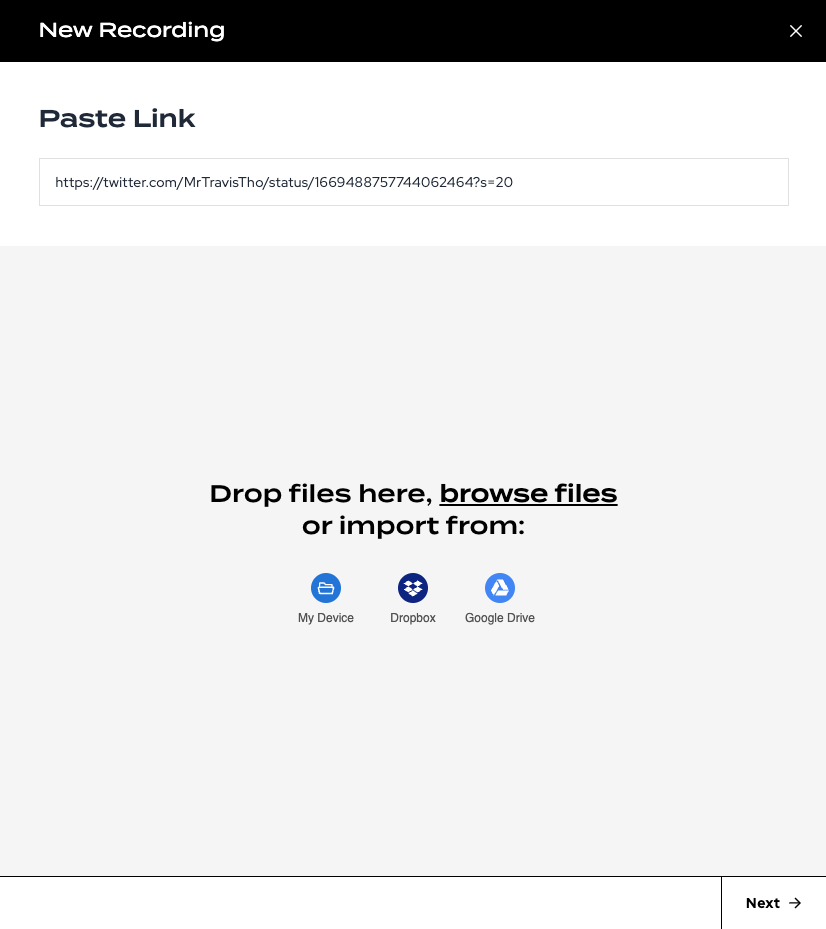
Import via Tweet
Importing Spaces got a little easier with support for tweet URLs, not just Space URLs. We still think it's best to give us the specific Space URL, but if you don't have that we'll try to find the Space mentioned in the tweet you paste in.
What's Fixed
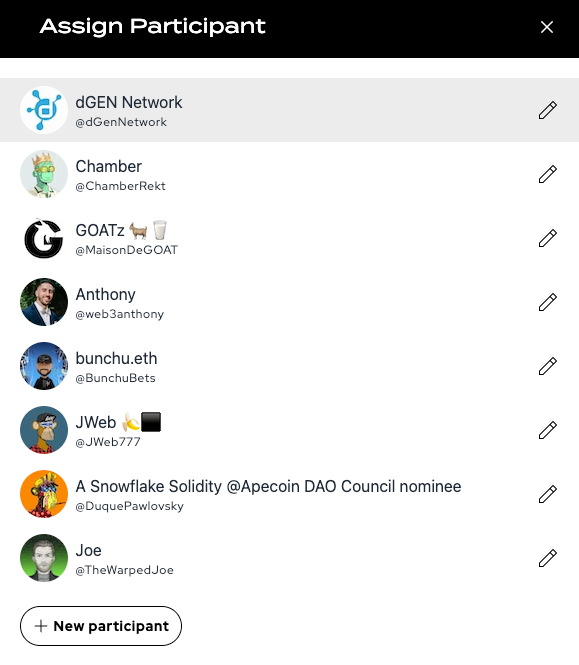
Participants tagged for uploads
There was a bug that prevented your uploads from having assignable speakers. This is now resolved!
If you didn't know, clicking on the Speaker avatar in the transcript lets you change the info about that speaker.
Workaround for corrupted Spaces
One of our customers had an issue with a corrupted Space glitching out in the middle, preventing it from importing into Zealous. We've not added some handling to try and skip around that broken part so hopefully, this doesn't stop you from getting your Spaces.
Home Load errors
The terrible glitch when you try to access your Zealous home page and it gives an error should now be gone! Yes!
Town Hall Recording
You can catch a rundown and a little more context about this on our Space:
We've made a number of new adjustments to the system this week, including the beta release of Wraps!
Here's a quick rundown of what's new.
Wraps Beta
- Generate Wraps for your Spaces
- Choose the format, length, and theme
- Clips automatically chosen
- Wraps are available via the Media tab
Media Tab
- Consolidated Clips & Audiograms into a single tab in Recordings
- Added Wraps listings
Activity Feed
- Removed scheduled spaces
- Added ability to generate Wraps
- Restyled for clarity
Audiogram Updates
- Updated images to use host avatars
- Added caching for avatars
- Updated various templates to make the design consistent
Our new editing tools for transcripts are finally live. These new tools turn your transcript into an editable document.
Some of the key features:
- Speaker Filter / Keyword Search are back
- Direct editing for transcript text
- Merge / Split utterances as you need
- Changes synced to audiograms
Why might you want this, you ask? We made this for a couple of reasons:
- Single source of truth - your transcript is now the fully edited text and will be used for audiograms and more
- Easier audiograms - you can now isolate the best quotes into their own utterances and avoid having to clip audio
Here's a quick video to show you how it works:
new
Audio Clips
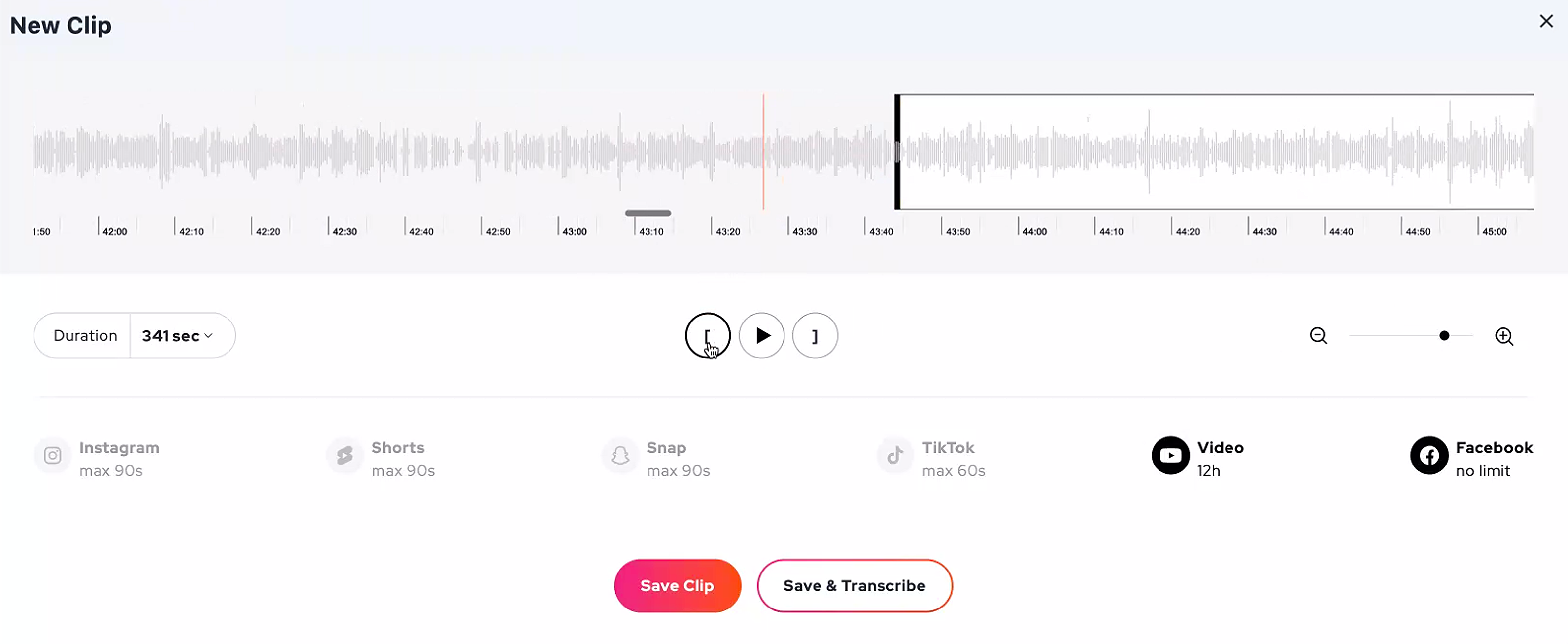
Audio clips allow you to do a few important things:
- Collect the best quotes quickly
- Download the audio for those clips
- Turn those clips into audiograms
- Optimize for sharing to social
Best of all, you don't need a transcript!
Transcription is an always-evolving process. That said, it's never perfect and while we'll continue to improve this process, there's always a need to tweak.
Speaker assignment lets you do just that!
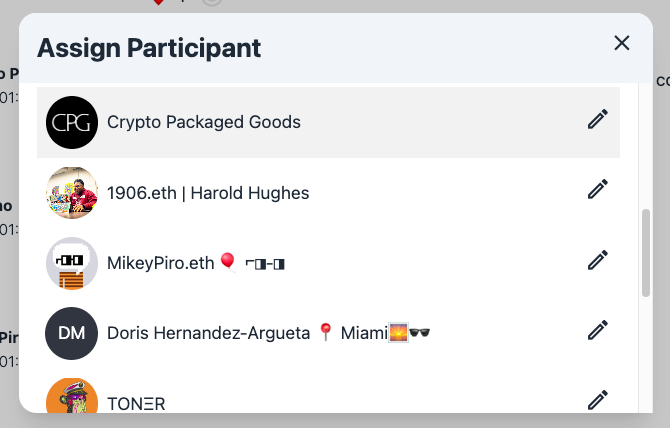
Additionally, this will automatically work for any Discord conversations you upload as well.
Load More
→